There is a strange problem with realistic design images: the better they become, the easier it is to forget what they are for. A highly polished image can impress a client and still fail to answer the project’s most important question. AI interior rendering has made it possible to create convincing visuals much earlier in the process, which is useful, but it also makes it worth asking what “good” means. Realism is one quality. Clarity, honesty, and relevance are others.
A render should help someone understand a decision that is difficult to read from drawings or words alone. That might be the mood of a hotel room, the visual weight of a dark kitchen, or the way two materials meet across a large open-plan space. If an image communicates that clearly, it is doing useful work. If it is beautifully realistic but distracts everyone with styling, dramatic light, or invented details, it may be doing the opposite.
Realistic Enough Is Often Enough
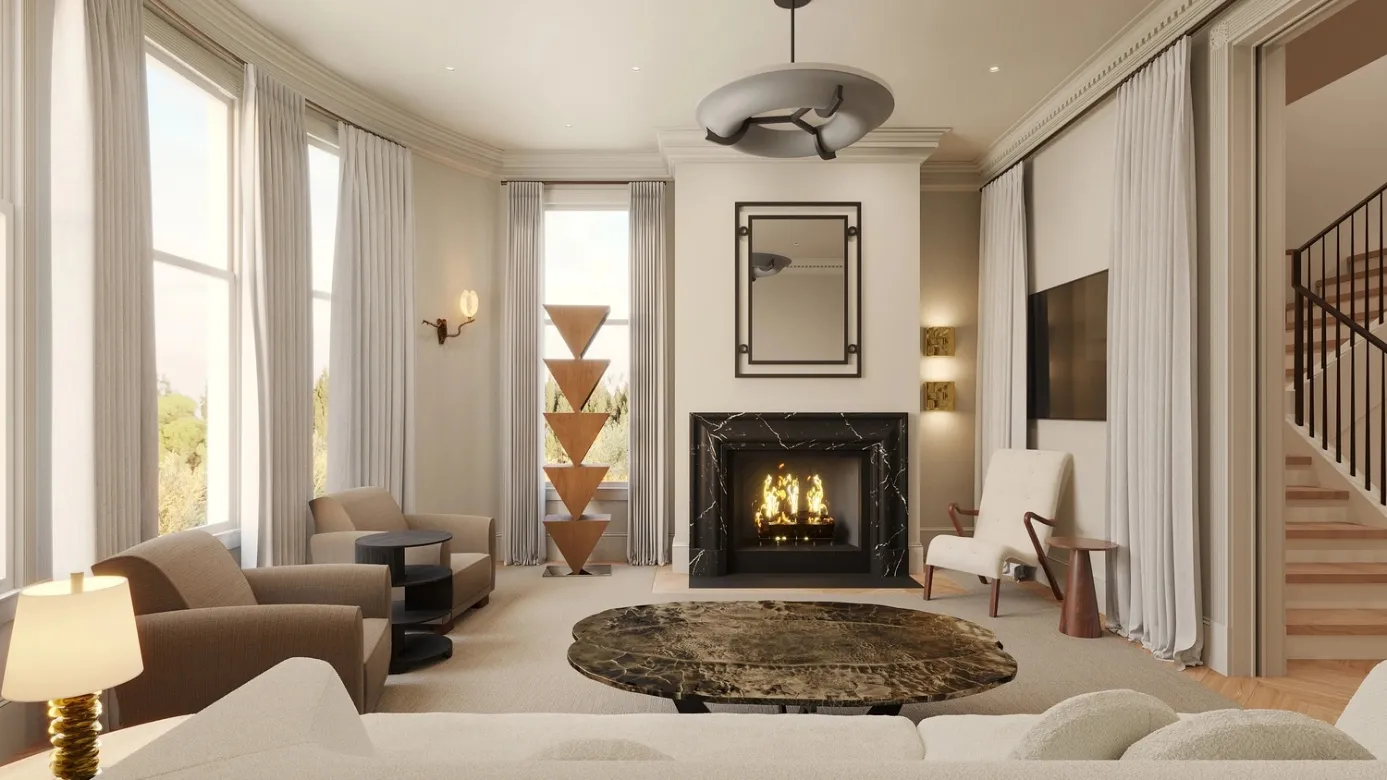
A photorealistic interior render can be valuable because clients do not have to mentally translate a wireframe or material board into a finished room. They can see approximate color, depth, texture, and atmosphere at once. That lowers the barrier to giving feedback. The client does not need to understand rendering; they only need to say what feels right and what does not.
The danger is treating realism as proof. A convincing image can make an unverified material, impossible furniture clearance, or unavailable product look settled. Professional teams need to keep a clear line between visual intent and technical confirmation. The image may show the desired look, while drawings, specifications, samples, and supplier information determine whether that look can actually be delivered.
Use Detail Where It Changes the Decision
Not every surface deserves equal attention. If the client is deciding whether to use ribbed timber on a feature wall, that wall needs enough detail to read properly. The books on a shelf in the background probably do not. Selective detail keeps the render focused and saves production time. It also prevents small decorative choices from becoming accidental commitments.
This is especially useful in early work. A team can spend hours perfecting reflections, edge softness, and accessories before the client has even approved the palette. Faster AI-assisted images make it easier to work the other way around: settle the big relationships first, then invest in detail when there is a reason to do so.
Let the Camera Behave Like a Person
Some interior images look impressive because the camera is placed somewhere a person could never stand. Extremely wide lenses, ceiling-height viewpoints, and compressed perspectives can show more of the room, but they may also distort how it will feel. For design review, a more human viewpoint is often more informative. It gives the client a sense of entering, sitting, or moving through the space.
There are exceptions, of course. A plan-like overhead view can be useful for explaining layout, and a wide commercial shot may be suitable for marketing. The point is to choose the camera deliberately. When the purpose is to communicate experience, a believable eye level and restrained lens usually make the design easier to judge.
Show More Than the Ideal Moment
Designers naturally want to present a room at its best. Warm evening light, perfect styling, and an empty countertop can create an appealing image. Yet a project is going to live through ordinary moments too. A kitchen works at breakfast. A hotel lobby deals with luggage. A home office has cables, storage, and a chair that gets moved. Visuals do not need to become messy, but they can benefit from acknowledging real use.
That might mean showing a second lighting condition or testing a furniture arrangement with realistic circulation around it. A platform such as dsgnr can help create variations quickly, which makes these checks easier to explore before final presentation. The designer then decides which views belong in the client conversation and which are simply internal studies.
Make the Render Easy to Question
A client should feel able to challenge a design image. When a visual looks too final, people sometimes hesitate to comment because they assume the work is already done. One simple solution is to label early images clearly: material study, concept option, lighting test. The label tells everyone that the image is part of a decision, not the end of one.
Design teams can reinforce that by asking focused questions. “Does the room feel too dark?” is easier to answer than “What do you think?” So is “Which floor works better with the existing brick?” A useful render creates a better conversation because it gives that conversation a clear subject.
Pair the Hero Image With One Practical View
A polished hero image is good at selling the atmosphere of a room, but it may not explain how the space works. Adding one quieter, more practical view can balance the presentation. That second image might show the circulation around a kitchen island, the relationship between a reception desk and waiting area, or the amount of daylight near a work surface. It does not need cinematic lighting. It needs to answer a question the hero view cannot.
This pairing is particularly useful in client meetings because emotion and practicality can be discussed separately. The hero image helps the client imagine the finished experience. The supporting view helps everyone check an important relationship. Together they make the presentation more credible than a sequence of equally dramatic images that all hide the same parts of the room. It also gives the designer somewhere to point when the discussion turns from atmosphere to everyday use. That shift happens in almost every serious review.
Conclusion
Photorealism is powerful, but it should serve the design rather than become the design. The best interior images help clients understand space, compare options, and make decisions with fewer surprises. They do not need to show every object perfectly or hide every unresolved detail. They need to communicate the right thing at the right stage.
AI-assisted rendering makes that kind of visual communication faster, which is valuable when it is paired with professional judgment. Designers still decide what is realistic, what is relevant, and what needs to be verified outside the image. When those responsibilities stay clear, a render becomes more than a polished picture. It becomes evidence in the design process.