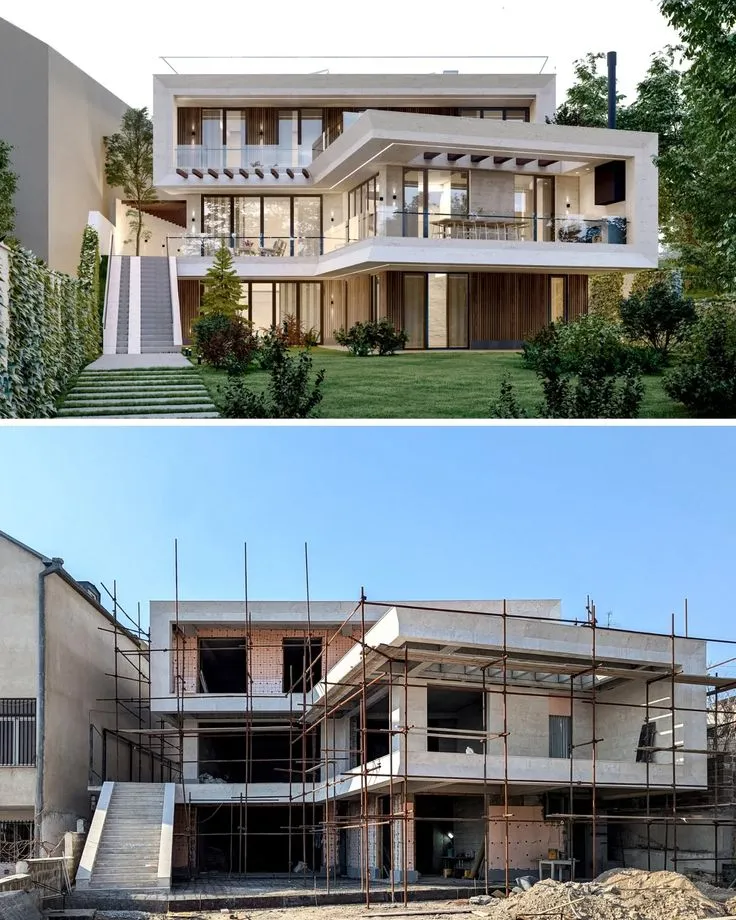
There is a familiar point in almost every architectural project when the design is too developed to communicate with a rough sketch, yet nowhere near ready for a fully polished final render. The massing may be settled, windows are roughly in place, and the client understands the basic layout. Still, the model looks unfinished. Materials are provisional. Landscaping is missing. Lighting has not been considered properly.
This middle stage used to be awkward. Either the team presented an obviously unfinished model, or someone spent significant time making it look more convincing than the project really required at that moment.
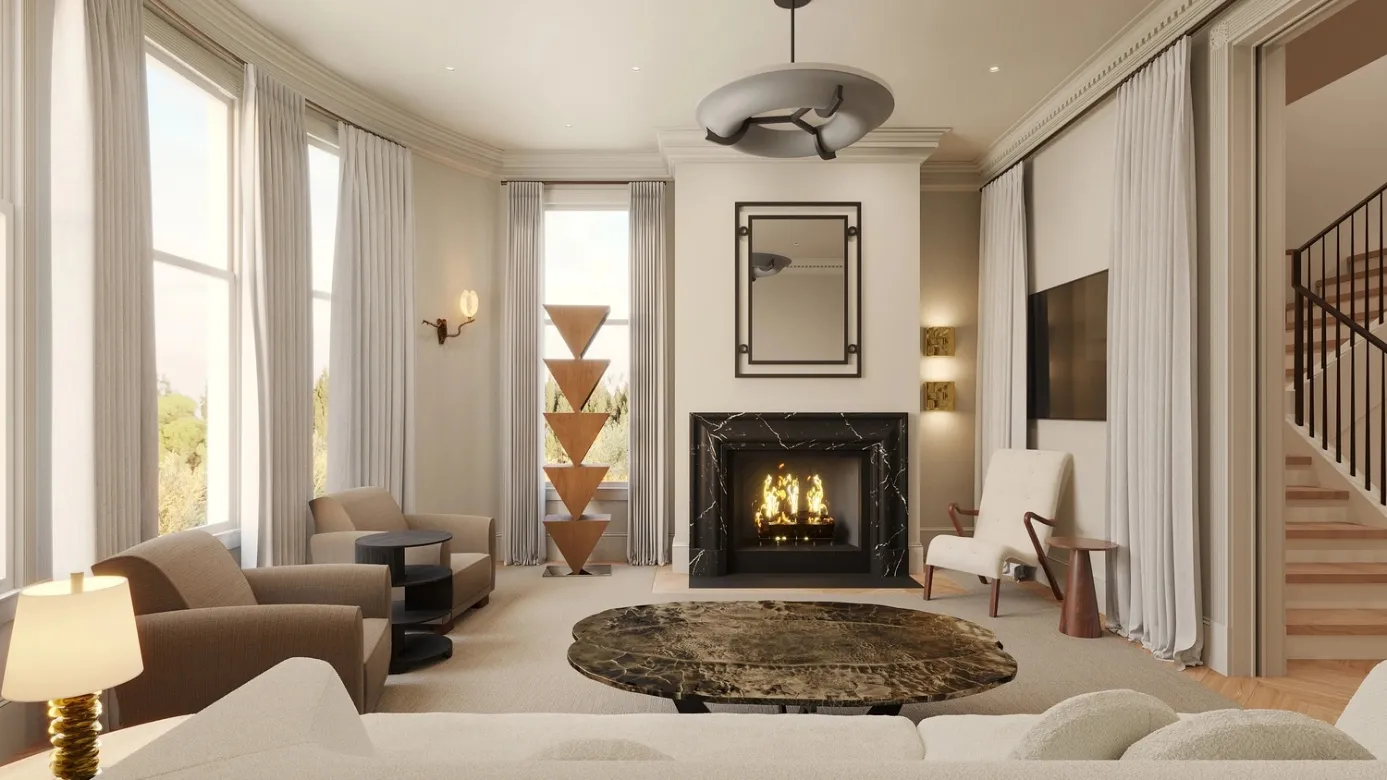
An AI render workflow offers another possibility. A designer can begin with an existing visual such as a model screenshot, sketch, floor-plan-based view, or photograph—and develop it into something that communicates atmosphere and material direction without pretending the project has reached final visualisation. Used carefully, AI can fill the space between “we have an idea” and “we are ready to produce the final image.”
The Unfinished Model Is Often More Useful Than It Looks
Architects spend a lot of time looking at simple working views.
Grey geometry. Default backgrounds. Basic shadows. Maybe a few placeholder materials.
These images are not designed to impress anyone. Their purpose is to help the project team understand form, proportions, openings, circulation, and relationships between different parts of the building.
Inside a design studio, that is often enough.
Outside the studio, it can be a different story.
A client sees a grey model and may assume the building itself will feel cold or unfinished. Another person may struggle to understand which surfaces are supposed to be glass, timber, brick, or concrete. Even when the architect explains everything clearly, the conversation can become dominated by the limitations of the representation rather than the quality of the design.
This is where a little more visual development can be useful.
Not final.
Not photorealistic at all costs.
Just clear enough that everyone is discussing the same idea.
Why This Middle Stage Matters So Much
Early design reviews often determine the direction of a project.
A client might decide whether the building should feel warmer or more minimal. A design director may ask for changes to the entrance. The landscape team could suggest that the relationship between the building and its setting needs more work.
These are significant decisions, yet they often happen before a conventional visualisation package makes sense.
Imagine a small hotel project.
The model already shows the main massing, balconies, roof profile, and glazing. What the team has not decided is whether the exterior should feel light and coastal or darker and more sheltered.
There is little value in fully developing both directions.
Instead, two visual studies could be produced from the same underlying view. One might explore pale masonry, timber details, bright daylight, and informal planting. The other could test darker stone, deeper shadows, warmer internal lighting, and denser vegetation.
Now the team can react to the difference.
The question is no longer, “Can you imagine this with darker materials?”
Everyone can see it.
AI Rendering Is Most Useful When the Question Is Specific
The broad term AI rendering can sound as though the objective is simply to make any image look more realistic. In architecture, that is not always the most useful goal.
A better workflow starts with a specific design question.
Perhaps the team wants to understand whether a darker façade will make the building feel too heavy.
Maybe an interior designer is comparing two material moods.
An architect could be testing how a simple exterior changes between daylight and dusk.
A landscape designer might want to see whether more planting is needed around the entrance.
Once the question is clear, the generated images have something to answer.
That also makes it easier to reject visually impressive results that do not actually help the project.
A beautiful image can still be irrelevant.
One Model Can Support Several Conversations
A useful part of image-based AI rendering is that the same basic architectural view can be explored for different purposes.
Take a simple model of a house.
Material Review
The first study could focus almost entirely on material contrast. Does pale stone work with dark window frames? Would timber make the entrance easier to identify?
Landscape Review
A second version might keep the architecture relatively restrained while exploring planting, paving, and the transition between the house and garden.
Lighting Review
The third could look at atmosphere. How does the glazing read at dusk? Is the entrance sufficiently visible? Does warm interior light change the way the exterior materials are perceived?
Client Presentation
Once the team understands the preferred direction, a more carefully selected version could help communicate the concept to the client.
The important point is that each image has a different purpose.
This is much more useful than generating numerous random variations of the same project.
Speed Changes the Way Designers Can Review Options
Traditional visualisation requires preparation.
A scene needs materials. Lighting has to be established. Vegetation and context may need to be added. Cameras are refined, and test renders often come before the final output.
That investment makes sense when the image matters enough.
It may make less sense when someone simply wants to know whether a timber façade feels better than brick.
AI-assisted rendering reduces some of that friction. A visual study can be created quickly enough to become part of ordinary design iteration rather than a separate production exercise.
This changes the rhythm of a review.
Instead of saying:
“We can visualise that later,”
the team may be able to investigate the idea while it is still relevant.
That does not mean every decision should be handed to an image generator. It simply means that visual feedback can arrive earlier.
Earlier Visualisation Can Reveal Unexpected Problems
One of the best outcomes from a render is discovering that an idea does not work.
Suppose a team has been developing an apartment building with a strong grid across the façade. In a simple model, the composition appears calm and ordered.
Once materials, depth, shadows, balconies, and surrounding context are introduced, the grid suddenly feels too busy.
That is useful information.
Or perhaps a commercial entrance that looked prominent in elevation disappears visually when the entire ground floor is shown with reflections, signage, people, and landscaping.
Again, useful.
The render has not designed a solution. It has revealed a weakness.
Designers can then return to the actual project and make changes where they belong—in the model, drawings, and architectural thinking.
Visual Realism Needs to Be Treated With Caution
There is an odd thing about a convincing image: people trust it.
Even when they know it is conceptual, a realistic render can make details feel settled.
A generated image might show a specific type of stone, mature trees, dramatic lighting, or beautifully detailed window surrounds. None of those elements may have been selected for the project.
Clients can easily assume otherwise.
That makes communication important.
If an image is being used to discuss mood rather than specification, say so.
If the landscape is illustrative, make that clear.
If furniture or decorative details have been generated only to give the scene scale, do not allow them to become accidental promises.
A visual can be highly useful without being technically literal.
The danger comes when everyone forgets the distinction.
What AI Should Not Be Asked to Resolve
There are many architectural questions that a render cannot answer.
It cannot prove that a façade build-up works.
It does not confirm structural feasibility.
It cannot establish that a proposed material meets local requirements.
It does not coordinate services, calculate dimensions, solve drainage, or verify accessibility.
The same applies to interiors.
A generated room may contain an attractive staircase, but that does not mean the stair has compliant geometry. A kitchen may look beautifully organised while ignoring actual appliance clearances or service locations.
Design teams still need proper tools and professional expertise for issues such as:
- technical detailing;
- accurate dimensions;
- building regulations and codes;
- structural coordination;
- accessibility;
- environmental performance;
- material specification;
- procurement;
- construction information.
AI rendering belongs alongside these processes, not instead of them.
The Existing Model Should Remain the Source of Truth
This is especially important for practices already working in SketchUp, Revit, Rhino, ArchiCAD, Blender, or other design platforms.
The 3D model should not be abandoned simply because an AI-generated visual looks convincing.
The model contains the controlled geometry.
That is where dimensions change.
That is where windows move.
That is where the roof, walls, levels, and real relationships are managed.
AI Render Studio works with visual inputs such as screenshots and exported images rather than replacing the underlying modelling environment. This makes it more practical to think of AI visualisation as a layer around the existing design process.
A useful result should travel back into the real project.
If a render suggests a deeper entrance canopy, model it properly.
If a particular façade rhythm appears stronger, test it against the actual plan.
If the image introduces a landscape idea worth keeping, work with the landscape designer to develop it realistically.
The generated image starts a discussion. The project model records the decision.
Do Not Confuse More Options With More Creativity
When producing another variation takes relatively little effort, it becomes easy to believe that more is always better.
It is not.
Imagine presenting a client with twelve living-room options.
Version one has oak.
Version two has darker oak.
Version three has stone.
Version four has slightly warmer stone.
By version twelve, the client is no longer evaluating the design concept. They are comparing small visual differences and becoming less certain about what they want.
Professional curation matters.
The designer’s role includes deciding which alternatives deserve attention.
In many cases, two contrasting options provide a better conversation than ten similar ones.
One may represent the current direction.
The other tests a genuinely different possibility.
If neither works, the team learns something and moves forward.
Some Projects Need Rougher Images
It is also worth questioning the assumption that every render should look photorealistic.
A project at a very early stage may benefit from a more illustrative or conceptual visual language.
Why?
Because the style communicates uncertainty.
A highly polished image can imply that every detail is settled. A softer or more sketch-like interpretation tells the viewer that the project is still being developed.
AI Render Studio offers different rendering styles and moods, which means teams can choose a visual treatment appropriate to the stage rather than always pursuing maximum realism.
That is a subtle but important part of architectural communication.
The image should not appear more resolved than the design itself.
Where Traditional Rendering Still Has an Advantage
There comes a stage when approximate visual exploration is no longer enough.
Perhaps the final cladding has been chosen.
The lighting consultant’s design is available.
Landscape plans are coordinated.
The marketing team needs images where particular materials, furniture, and views must appear exactly as approved.
At this point, conventional rendering workflows can offer greater control.
The choice between AI and traditional visualisation therefore does not have to become a competition.
A project may use AI during early iterations and conventional rendering later.
Another project may use AI only for internal exploration.
A smaller job might never require a complex final render at all.
The right tool depends on what the image has to achieve.
A More Practical Way to Think About Architectural Rendering
Instead of asking, “Should we use AI rendering?” design teams can ask a more useful set of questions:
What are we trying to understand?
If the goal is material exploration, a quick study may be enough.
How accurate does this image need to be?
An internal concept review needs a different level of control from a final sales image.
Who will see it?
Designers may understand ambiguity that clients do not.
What should remain unchanged?
If the massing is approved, visual experimentation should not quietly redesign it.
What happens after the image is reviewed?
Useful findings should be returned to the model, specification, or design process.
These questions keep rendering connected to architecture rather than allowing it to become an isolated image-making exercise.
The Real Benefit Is a Shorter Distance Between Idea and Discussion
AI rendering is often described in terms of speed, and speed is certainly part of its appeal.
But saving a few minutes is not particularly important on its own.
The bigger advantage is reducing the distance between an idea and a useful conversation.
An architect thinks the façade might work better in stone.
It can be explored.
A client wonders whether the room would feel warmer with timber.
It can be seen.
A project team suspects that the entrance gets lost at dusk.
It can be tested visually before final presentation work begins.
That feedback can arrive while the project is still flexible enough to respond.
Conclusion
The space between a rough architectural model and a polished final render has always been important, even if it has not always had its own clear workflow. It is where teams test atmosphere, materials, landscape, lighting, and character while major design decisions are still open.
AI-assisted rendering makes that middle ground easier to explore.
Used carefully, it can turn an unfinished model or drawing into a visual study that helps architects, designers, and clients discuss the project more clearly. It can reveal problems earlier, compare meaningful alternatives, and provide direction before detailed rendering becomes worthwhile.
The strongest results still depend on restraint. Not every image should become a proposal, and not every attractive AI-generated detail belongs in the building.
A render is most valuable when it sends the team back to the actual project with a clearer understanding of what needs to change, what deserves further development, and what was already working well.